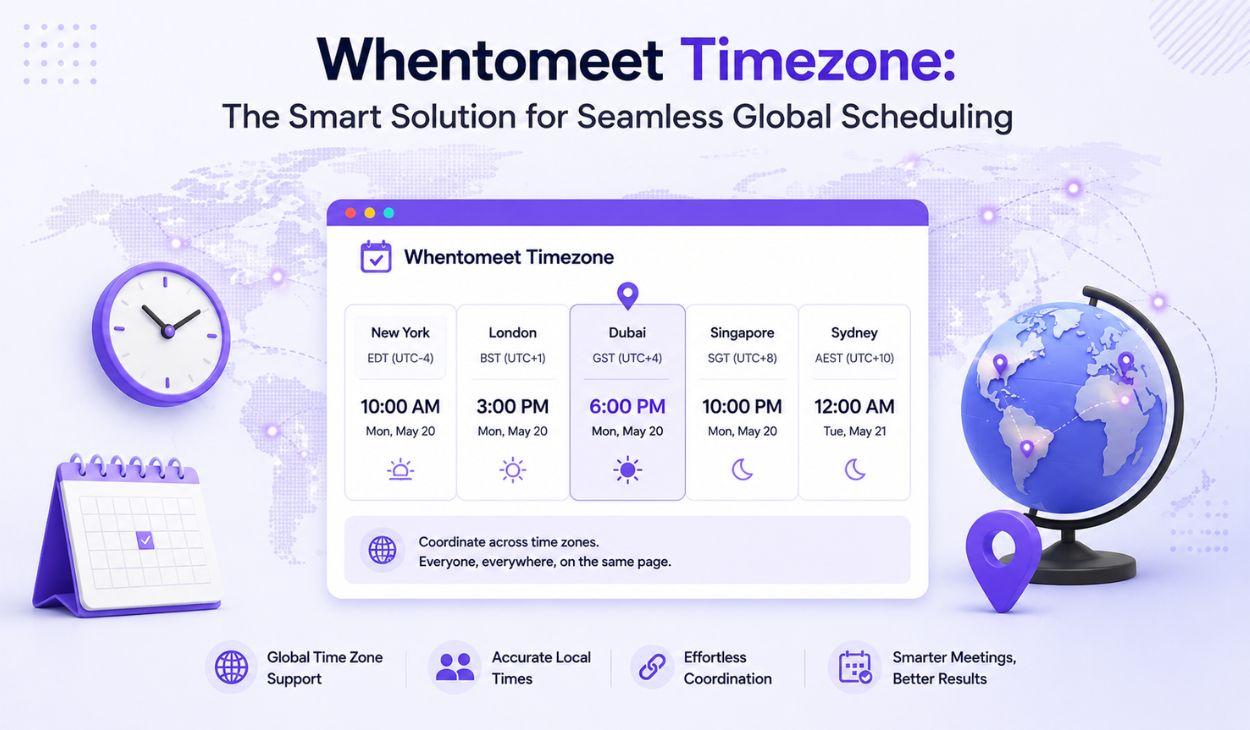
WhentoMeet Timezone: Smart Global Scheduling
Modern workplaces no longer operate within a single city or country. Teams now collaborate across continents, making effective scheduling a critical part of business success. Whether employees are working from New York, London, Tokyo, or Sydney, coordinating meetings can quickly become difficult without reliable tools. Different time zones create misunderstandings, missed appointments, and delays that affect productivity. As remote work and international partnerships continue to expand, organizations increasingly depend on systems that simplify scheduling. The Whentomeet timezone feature has emerged as a practical solution because it automatically adjusts meeting times according to the participant’s location. Instead of manually comparing world clocks or searching conversion websites, users receive accurate information immediately.
Understanding the Basics of Whentomeet Timezone
The purpose of Whentomeet timezone functionality is simple eliminate the complexity involved in arranging meetings among people living in different regions. Traditionally, organizers had to calculate time differences manually and verify whether each participant would see the correct schedule. Such a process was not only time-consuming but also vulnerable to mistakes. Modern scheduling platforms solve this problem by performing these conversions automatically. Users select their availability and share meeting links while the software handles everything behind the scenes. Every participant sees the meeting time according to their local settings, which removes uncertainty and creates confidence. This approach saves time and improves communication.
Why Manual Time Zone Calculations Often Cause Problems
Manual time calculations appear simple until daylight saving changes and regional differences enter the equation. A meeting scheduled for 9 AM in one country may unexpectedly translate into late evening somewhere else. Human error frequently leads to incorrect calculations, causing missed meetings and unnecessary frustration. Professionals who work with clients worldwide often experience these issues when relying on spreadsheets, calculators, or world clocks. Even a one-hour difference can create major disruptions during important discussions. Seasonal time changes further complicate matters because not every country follows the same daylight-saving schedule. Such variations make manual scheduling unreliable and inefficient. The Whentomeet timezone system removes these risks by automatically converting meeting times.
How Modern Scheduling Platforms Handle Time Zones
Modern scheduling applications use intelligent systems to simplify time zone management. When users access a meeting page, the platform identifies their local settings through browser information and device configurations. The software instantly converts available meeting slots into the participant’s regional time. This process happens automatically without requiring additional setup. Such automation eliminates confusion and provides a smoother user experience. Participants can focus entirely on choosing convenient times rather than performing calculations. Organizers benefit because they create schedules once while the platform handles conversions for everyone involved. This technology works across desktops, smartphones, and tablets, ensuring consistency regardless of the device being used. With the rise of remote work and international communication, these advanced scheduling capabilities have become indispensable. They enable businesses and teams to coordinate effectively despite geographical barriers.
Automatic Time Zone Detection Explained
Automatic detection represents one of the most valuable features available today. The system reads browser settings and device information to determine a participant’s location and corresponding time zone. Once identified, all displayed meeting options adjust automatically. Users are not required to manually select countries or configure settings repeatedly. This seamless process minimizes errors and improves convenience. Whether someone joins from a laptop or smartphone, the experience remains consistent. Automatic recognition helps users trust the scheduling process because every displayed time reflects their local environment. The result is faster coordination and fewer misunderstandings.
Browser-Based Time Zone Recognition
Browsers contain built-in information regarding regional settings and local time preferences. Scheduling platforms leverage this information to provide accurate meeting times instantly. This method eliminates the need for participants to manually update preferences every time they access an event page. First-time users also benefit because the platform automatically adapts to their environment. Browser-based recognition provides accuracy and convenience while requiring virtually no technical knowledge. Such automation significantly improves user satisfaction and encourages smoother collaboration.
How Event Creators Benefit from 
Organizers often carry the responsibility of coordinating multiple schedules across different countries. Without automation, this task becomes exhausting and error-prone. The Whentomeet timezone system enables creators to schedule events according to their preferred location while participants view times adjusted to their own regions. This reduces administrative effort and minimizes confusion. Event creators spend less time answering questions regarding time conversions and more time preparing productive discussions. Automatic adjustments ensure consistency and improve attendance rates. The platform essentially acts as a virtual assistant, simplifying logistics and enhancing efficiency. Businesses managing clients worldwide particularly benefit because scheduling becomes predictable and reliable. Effective automation allows organizers to focus on goals rather than calculations.
A Better Experience for Participants
Participants appreciate simplicity and clarity when responding to meeting invitations. Automated time conversion removes uncertainty by presenting schedules according to local settings. Instead of consulting external tools, users immediately understand which slots are suitable for them. This convenience reduces hesitation and increases participation. People feel more confident accepting invitations because they trust the displayed information. Clear scheduling improves communication and eliminates misunderstandings. Employees, students, and clients enjoy a more user-friendly experience. By reducing complexity, the Whentomeet timezone feature creates smoother interactions and strengthens collaboration among teams worldwide.
Supporting Remote and Hybrid Teams
Remote and hybrid workplaces depend heavily on accurate scheduling. Employees frequently work from different cities, countries, and continents, making coordination challenging. Automated time zone management removes many obstacles associated with global communication. Team members receive precise information without performing calculations themselves. This efficiency strengthens collaboration and encourages better participation. Distributed teams benefit because everyone works with identical information despite living in different regions. Reliable scheduling improves productivity and supports stronger professional relationships. As flexible work arrangements continue to grow, intelligent scheduling tools become increasingly important for maintaining effective communication.
Managing International Projects More Effectively
International projects involve stakeholders from multiple regions and often require regular meetings. Coordinating these discussions manually can consume significant time and create unnecessary stress. Automated time conversion helps project managers organize meetings more efficiently. Teams spend less time discussing schedules and more time focusing on objectives. This improved coordination accelerates decision-making and enhances collaboration. Cross-border projects become easier to manage because everyone receives accurate timing information. Organizations operating globally benefit from streamlined communication and fewer scheduling conflicts. Efficient coordination contributes directly to project success.
Time Zone Preferences and Custom Settings
Although automatic detection satisfies most users, some professionals require additional flexibility. Frequent travelers and consultants managing clients across various countries often prefer manual customization. Modern scheduling tools provide options for selecting preferred regions and maintaining consistent settings. These personalized configurations remain active across future events, reducing repetitive adjustments. Such flexibility improves convenience while preserving accuracy. Custom settings provide greater control and ensure schedules align with individual work habits. Personalized experiences contribute to higher user satisfaction and increased efficiency.
Avoiding Common Scheduling Mistakes

Proper scheduling habits further enhance the benefits of automation. A few simple practices help maintain accuracy and improve attendance.
- Double-check device settings to ensure correct regional information.
- Write clear meeting descriptions to avoid misunderstandings.
- Confirm participant availability before finalizing schedules.
- Stay aware of daylight-saving changes that affect certain countries.
These practices complement automated systems and reduce the possibility of errors. Together, they create more reliable and efficient scheduling experiences for everyone involved.
How Time Zone Automation Improves Productivity
Time spent calculating offsets and clarifying schedules represents lost productivity. Automated scheduling eliminates these unnecessary tasks and allows teams to focus on meaningful work. Employees communicate more efficiently because meeting information is immediately understandable. Fewer errors translate into fewer rescheduled events and less confusion. Businesses save time while improving coordination among remote employees and international partners. Small efficiencies accumulated over time create significant gains in overall productivity. Intelligent scheduling contributes directly to smoother workflows and stronger collaboration.
Future Developments in Scheduling Technology
Scheduling technology continues to evolve rapidly with the help of artificial intelligence and predictive algorithms. Future systems may recommend ideal meeting times based on work patterns, availability history, and participant preferences. Smart suggestions could further reduce scheduling conflicts and improve attendance. AI-driven assistants may automatically coordinate recurring events without manual intervention. Personalized scheduling experiences are expected to become increasingly sophisticated. These innovations promise to simplify global collaboration even further. The future of scheduling appears smarter, faster, and more intuitive than ever before.
Best Practices for Global Meeting Coordination
Successful international collaboration requires both technology and thoughtful planning. Teams should respect local working hours and avoid scheduling meetings at inconvenient times. Clear communication standards improve understanding and encourage participation. Choosing overlapping availability periods creates fairness and supports work-life balance. Combining these habits with automated scheduling tools results in more productive interactions. Organizations that prioritize inclusivity and efficiency often experience stronger collaboration and better outcomes. Smart scheduling ultimately strengthens relationships among distributed teams.
Conclusion
The Whentomeet timezone feature has transformed global scheduling by eliminating the complexity associated with time conversions. Automatic detection, browser-based recognition, and personalized settings provide accurate scheduling experiences for organizers and participants alike. Businesses, educational institutions, freelancers, and remote teams benefit from reduced confusion and improved productivity. As technology continues evolving, intelligent scheduling systems will become even more advanced. Effective time zone management ensures smoother communication and stronger collaboration in an increasingly connected world.
FAQs about Whentomeet timezone
Does Whentomeet automatically detect time zones?
Yes, it automatically identifies local settings and adjusts meeting times accordingly.
Do participants see different times based on location?
Yes, each participant views the schedule according to their own local time zone.
Can organizers select a preferred time zone?
Yes, organizers can customize their preferred time settings when creating events.
Does Whentomeet work on mobile devices?
Yes, the platform supports smartphones, tablets, laptops, and desktops.
Why is Whentomeet useful for remote teams?
It reduces scheduling confusion and improves collaboration across different regions.
